Project Eta Discuss your workflow on UpworkUpwork

Full-stack product engineer · operational software

Turn the workflow slowing your business down into software your team can actually use.

I design and build working web applications for booking, payments, field operations, analytics and multi-role workflows.

Explore four complete demos and one working prototype. Choose a user, sign in and use the product yourself.

  • Working software
  • Mobile and desktop
  • Payments, maps and QuickBooks
  • 9 user roles
  • 15 years building software · $100K+ earned on Upwork · 100% Job Success
  • A financial data pipeline cut from 3 hours to 45 minutes
  • 95% of the manual effort in invoicing and ETL eliminated
  • AI-powered synthetic data systems that brought in over $2M in new revenue Data director, commodities pricing agency, 2022–23

See what I build

These aren’t interface mockups. Four are complete applications running on synthetic data, with the workflows, edge cases and integrations needed to make the product useful. The fifth, Clearbill, is a working prototype on real public documents.

The four apps reset to a clean start each hour, so change anything you like.

Travel planning

TripReady

Turn disconnected travel bookings into one complete, conflict-checked plan.

For travellers and the people who plan trips for them. Flights, trains, accommodation, transfers and entry requirements are assembled into a door-to-door itinerary that catches missing or impossible connections.

  • Travel search (recorded results)
  • Conflict detection
  • Entry requirements
  • Complete itineraries
TripReady's trip overview: one month in Lecce, 82% ready, with the gap and its next step in the readiness panel TripReady on a phone: the trip overview, the arrival timeline and Ask
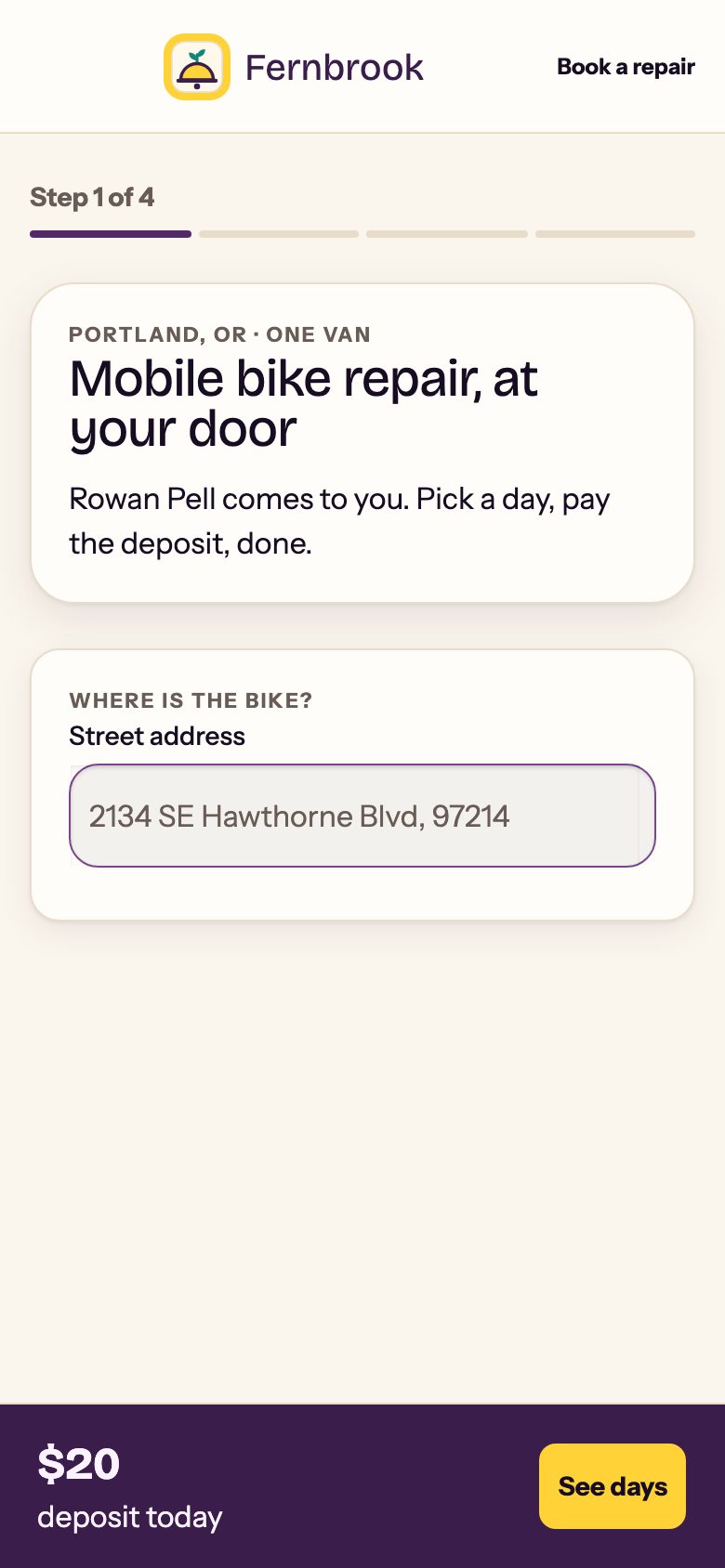
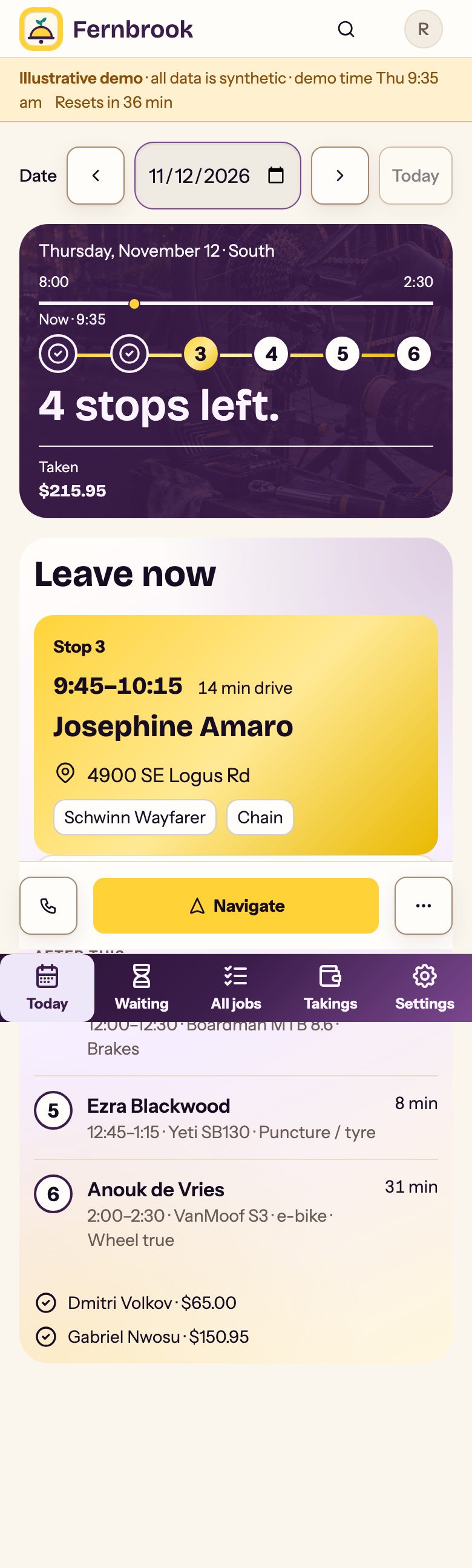
Fernbrook on a phone: a customer starts booking a repair, $20 deposit today Fernbrook on a phone: the mechanic's day, stops in drive order
Booking and dispatch

Fernbrook

Turn enquiries into paid bookings, and automatically plan the working day.

For trades that go to the customer. Customers book and pay a deposit online. The mechanic sees each stop in drive order, knows when to leave and charges the balance when the work is complete.

  • Online booking
  • Deposits (Stripe test mode)
  • Route planning

Sign in as Rowan, the mechanic, or book as a customer.

Field service billing

Tallyfield

Move completed field work to an invoice without paper or retyping.

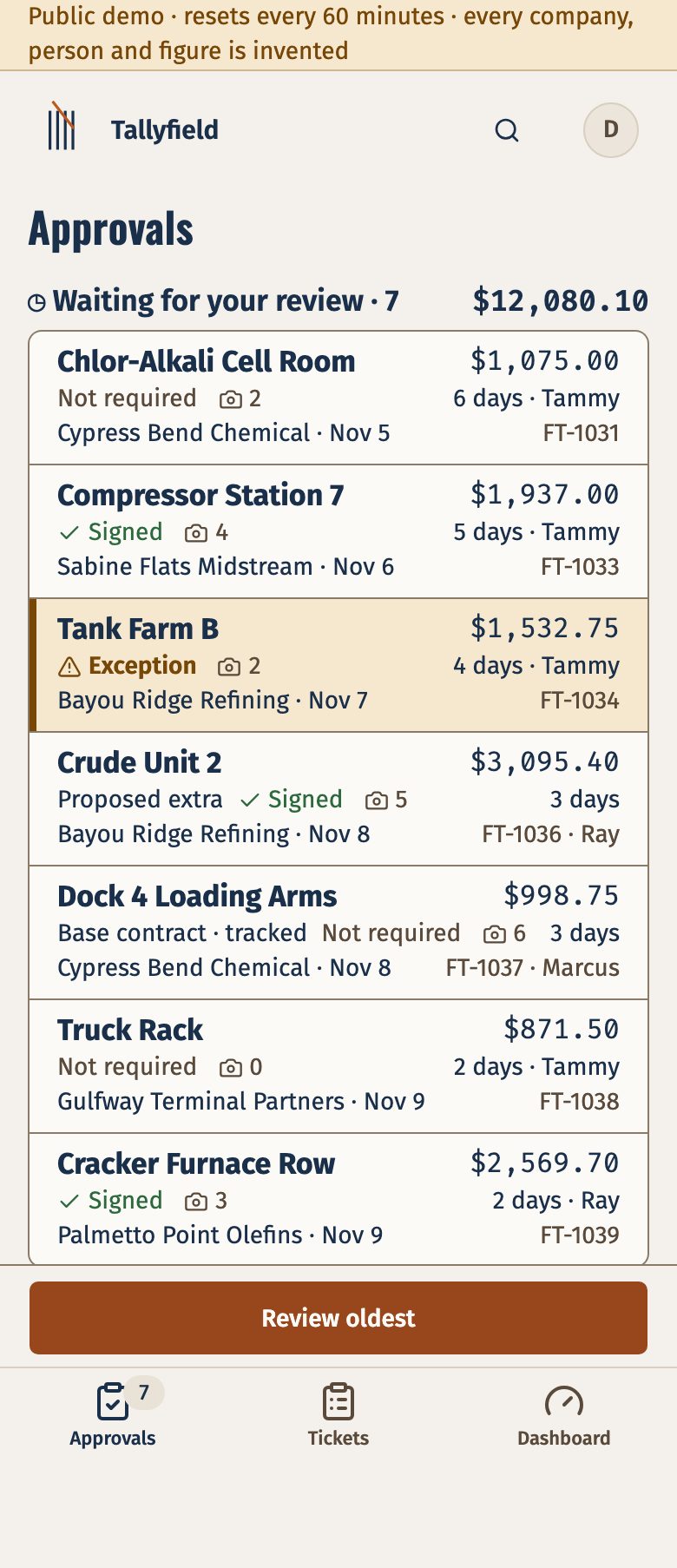
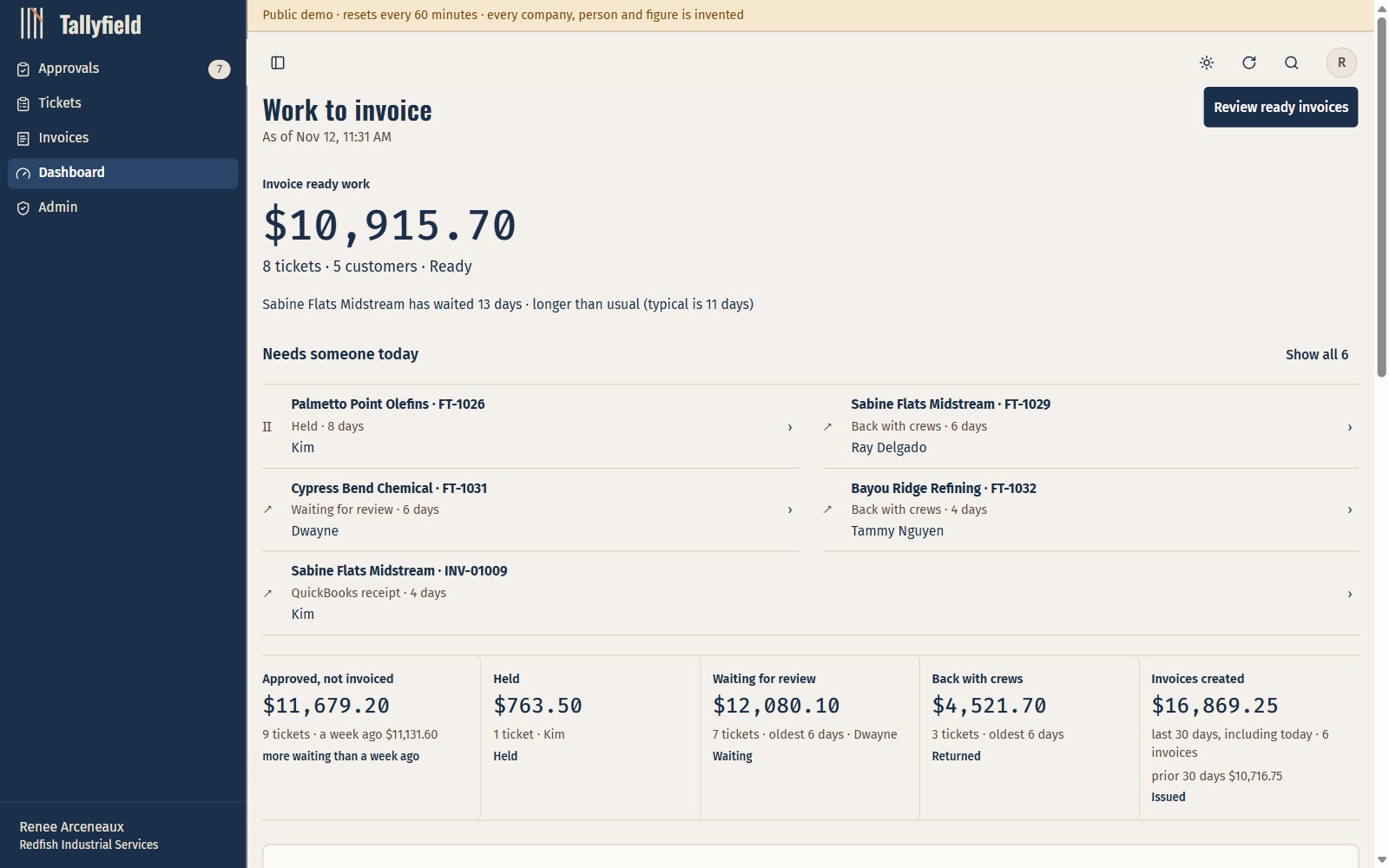
For field service companies that bill from job tickets. A foreman records the work and collects sign-off on site. A supervisor approves it, and the office sends the resulting invoice to QuickBooks.

  • Field tickets
  • Customer sign-off
  • Approval workflows
  • Invoicing (QuickBooks sandbox)

Sign in as Ray, the foreman, Dwayne, the supervisor, Kim in billing, or Renee, the owner.

Tallyfield on a phone: the supervisor's approvals, oldest first, with the dollars waiting Tallyfield's owner dashboard: $10,915.70 of work ready to invoice, and who needs to act today
Invoice review · prototype

Clearbill

Check each invoice against the order, the field ticket or the timesheet before it is paid or sent.

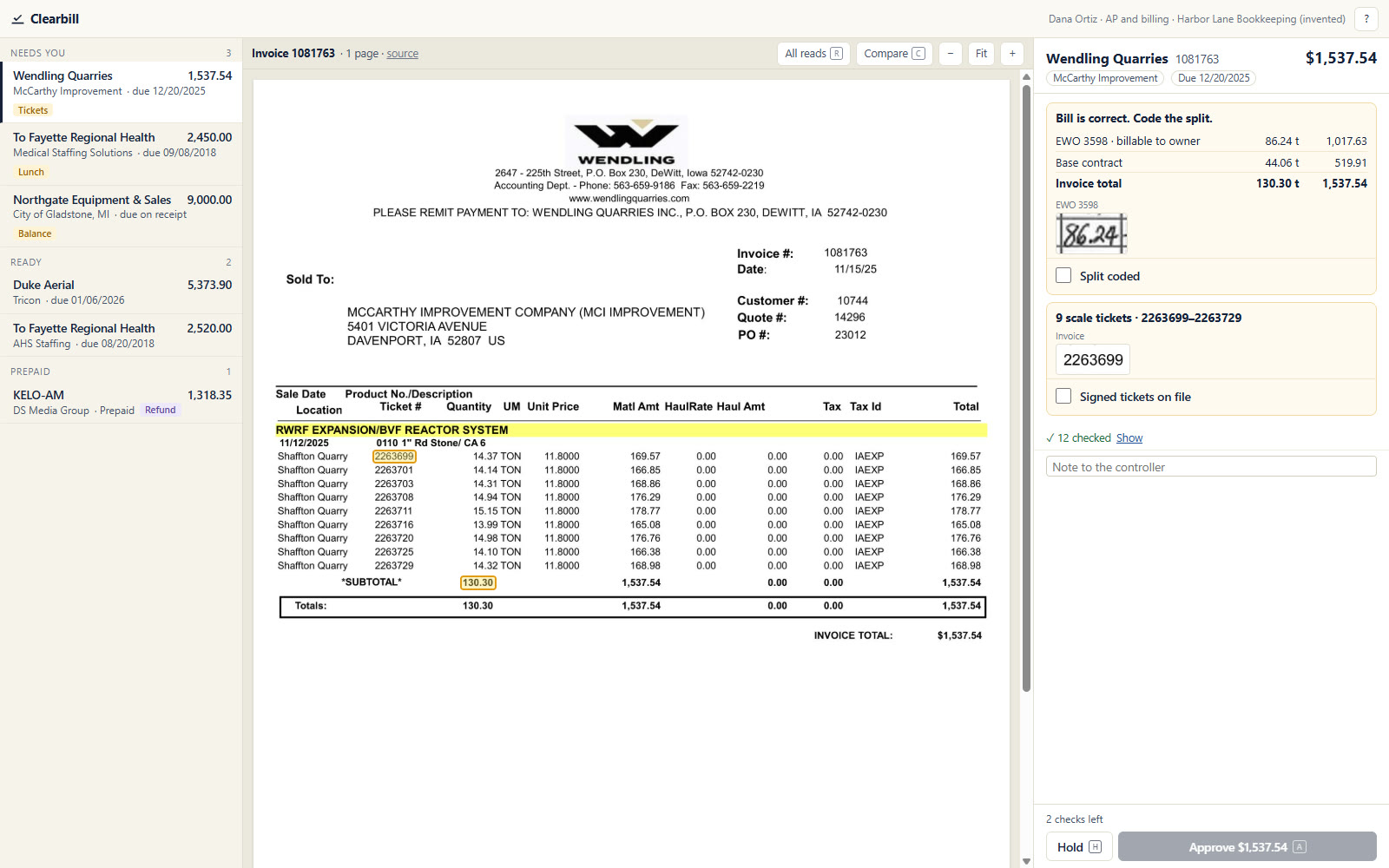
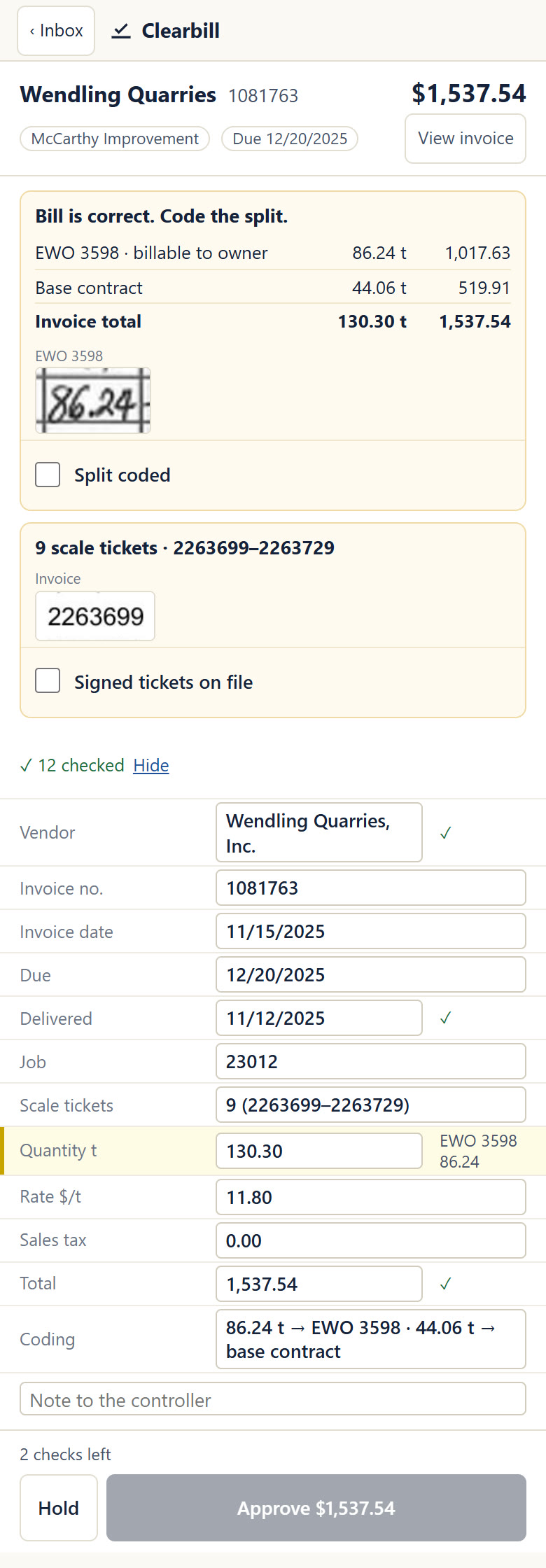
For bookkeepers, accounts-payable teams and staffing firms. Each invoice is read and compared with its purchase order, field ticket or signed timesheet. The clerk sees the few checks that still need a person, such as a nurse’s lunch break that was never noted, then approves or holds it.

  • Invoice reading
  • Order and ticket comparison
  • Timesheets to invoices
  • Approve or hold
  • Real public documents

No sign-in. You are Dana, the bookkeeper. Approving sends nothing, and a reload starts again.

Clearbill's review screen: the inbox, a quarry invoice for $1,537.54, and the two checks left before approval Clearbill on a phone: the invoice split between extra work and the base contract, the checks to tick and every value read from the page

From a messy workflow to a working product

You bring the process, the users and the constraints. I turn them into a clear scope and a working application.

  1. 01

    Map the workflow

    Identify the users, decisions, bottlenecks and essential integrations.

  2. 02

    Build the first useful slice

    Deliver one complete workflow early, within 2 to 3 weeks of starting the build, so you can evaluate working software instead of waiting for a final reveal.

  3. 03

    Expand and hand over

    Add the remaining workflows, test the edge cases, deploy and document the product. A build typically takes 6 to 10 weeks.

A low-risk place to start

Workflow-to-Product Blueprint

Start with a small paid discovery milestone.

You receive a workflow map, prioritised product scope, key screens and a practical build plan. If we continue, it becomes the blueprint for the implementation.

  • Workflow and user-role map
  • Prioritised product scope
  • Key screens or prototype
  • Integration and technical plan
  • Build milestones and a fixed-price estimate

From $450 on Upwork3 to 12 days, by scopeCredited to the build if you go ahead within 30 daysYou keep the plan, with me or without

Paid through Upwork: the payment is held in escrow and released only when you approve each milestone.Your part: about 2 to 3 hours a week of questions and trying the work.

Opens my Upwork profile in a new tab; send a message or an invite there.

Questions

What does it cost?

The Blueprint is from $450, by scope, and it’s credited to the build if you go ahead within 30 days. A first build is typically $8,000 to $25,000, split into fixed-price milestones.

How fast can I get an MVP?

A first usable slice is live in 2 to 3 weeks; a typical MVP is $8,000 to $25,000 in fixed milestones. Stack: TypeScript, React, Postgres, and the AI model that fits the job.

How long does it take?

The Blueprint takes 3 to 12 days, by scope. A build typically takes 6 to 10 weeks, and the first working workflow is on a live preview within 2 to 3 weeks of starting.

What do you need from us?

Someone who knows how the work runs today, and about 2 to 3 hours a week: answering questions in the Upwork chat and trying each piece on the live preview.

Do we have to replace our tools?

No. Where your tools do the job, I connect them and build only what’s missing.

Who owns what you build?

You do: the code, the data and the hosting account. You keep the Blueprint whether or not we build together.

What if I’m not happy with the work?

Every milestone is paid through Upwork: the payment is held in escrow and released only when you approve that milestone.

Have a workflow that has outgrown spreadsheets, email or paper?

Show me how it works today. I’ll help you identify the smallest useful product we can put in front of real users.